An isometric room is a favourite illustration for blog covers about work, homes, apps and offices. It shows a whole space in one image: a desk, a lamp, a plant, a window. It is also hard to draw by hand and tedious to model in 3D software when all you want is a cover.
Levni has a small 3D world built into its scene format. You describe a room as a list of floors, walls, boxes and props, and the engine draws it in the same hand-inked riso style as the rest of the library. There is no image model and no API key, so it costs nothing per image.
This guide builds one room in four steps: the shell, the furniture, the objects on the desk, and a finished cover. You need Node 20 or newer and Levni. Install it with npm install github:BoraGkc/levni, and the whole thing takes about ten minutes.
Know the world you are drawing
The iso element is a little 3D world inside a normal scene. It has an origin on the canvas (x, y), a scale, a projection and a list of objects. These are the object kinds:
| kind | what it draws | main fields |
|---|---|---|
floor |
the ground | x, y, w, d, color, pattern (boards, tiles, hatch) |
wall |
a wall | axis (x or y), x, y, w or d, h, color, window |
box |
furniture, shelves, buildings | x, y, z?, w, d, h, color, windows, stripe |
cylinder |
stools, drums, tanks | x, y, z?, r, h, color |
prop |
a library drawing | name, x, y, z?, size, variant? |
draw |
your own paths | paths, x, y, z?, size |
The axes matter. In world space, x runs to the lower right, y runs to the lower left and z points up. A room has its two walls at x = 0 and y = 0. Objects stand on their lowest drawn point, so to put something on a table you set its z to the table’s height. A scene uses one projection, either iso or oblique.
Draw the floor and walls
Start with the shell. A 360 by 360 floor, a back wall along the x axis with a window, and a second wall along the y axis. Choose the walls’ colours now, because they set the mood of the room.
{ "seed": 7, "background": "paper", "elements": [
  { "type": "iso", "x": 600, "y": 270, "scale": 0.95, "objects": [
    { "kind": "floor", "x": 0, "y": 0, "w": 360, "d": 360, "color": "paper", "pattern": "boards" },
    { "kind": "wall", "axis": "x", "x": 0, "y": 0, "w": 360, "h": 220, "color": "tone", "window": [0.55, 0.25, 0.3, 0.4] },
    { "kind": "wall", "axis": "y", "x": 0, "y": 0, "d": 360, "h": 220, "color": "blue" }
  ] }
] }
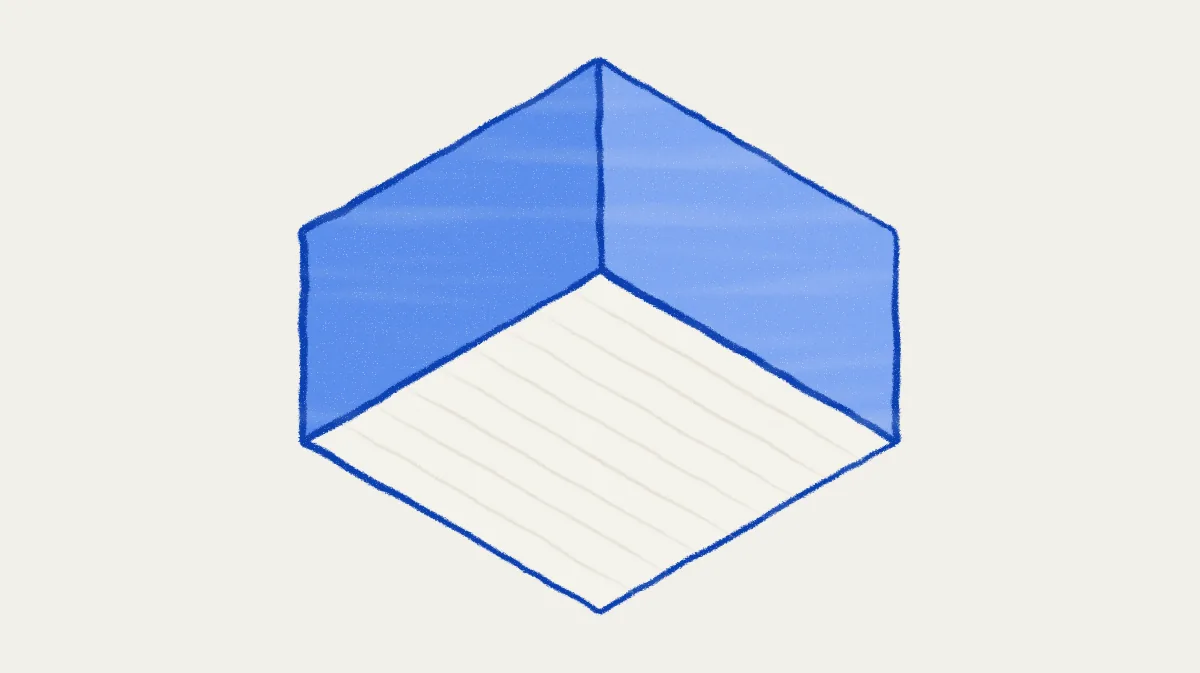 Step one: the shell. Two walls, one floor, and the corner at the origin.
The window field is [u, v, w, h], fractions of the wall’s width and height. Here the window starts 55 per cent along the wall and a quarter of the way up, and fills 30 by 40 per cent. The x and y of the iso element place the room’s corner on the canvas, and scale shrinks or grows the whole room. A scale of 0.95 leaves a margin around it.
Add the furniture with boxes
Furniture in an isometric room is mostly boxes. A desk is a flat box, a shelf is a tall one, and a stool is a cylinder. Add three objects after the walls:
{ "kind": "box", "x": 40, "y": 70, "w": 180, "d": 80, "h": 80, "color": "coral" },
{ "kind": "box", "x": 260, "y": 20, "w": 80, "d": 120, "h": 150, "color": "mustard" },
{ "kind": "cylinder", "x": 130, "y": 250, "r": 34, "h": 50, "color": "green" }
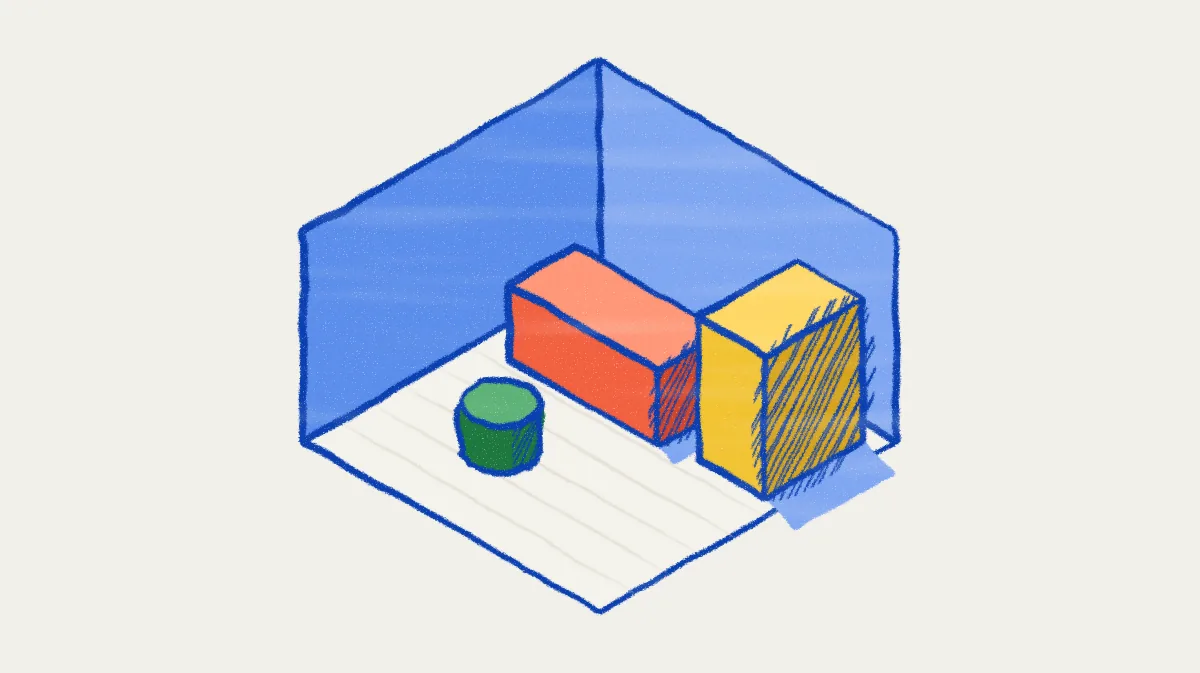 Step two: the furniture. Three shapes already read as a desk, a shelf and a stool.
Pick furniture colours that stand out from the walls: coral and mustard here, with a touch of green for the stool.
Put props on the desk with z
Now the details. A prop takes a name from the library, so you do not draw anything yourself. Find names with levni list, for example npx levni list laptop. The desk is 80 high, so the laptop and the cup get z: 80. The shelf is 150 high, so the plant gets z: 150.
{ "kind": "prop", "name": "laptop", "x": 110, "y": 112, "z": 80, "size": 170, "flip": true },
{ "kind": "prop", "name": "coffee-cup", "x": 195, "y": 125, "z": 80, "size": 55 },
{ "kind": "prop", "name": "potted-plant", "x": 300, "y": 80, "z": 150, "size": 90 },
{ "kind": "prop", "name": "floor-lamp", "x": 300, "y": 320, "size": 200 }
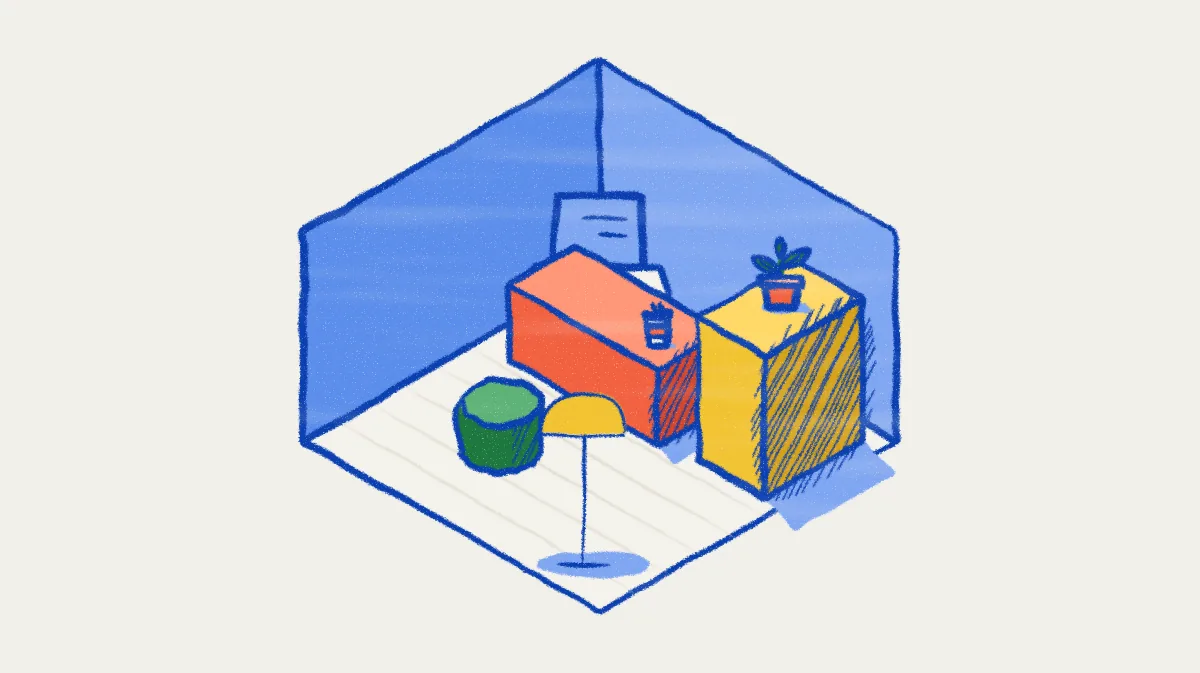 Step three: props on top. The laptop and cup use z: 80 to sit on the desk, and the plant uses z: 150 to sit on the shelf.
Two details save time. The lamp has no z, so it stands on the floor, and its x and y put it in the front corner so it does not hide the desk. The laptop uses flip to turn it the other way, the same option any prop takes. You may need to try a few size values before a prop reads at the right scale.
Finish the cover
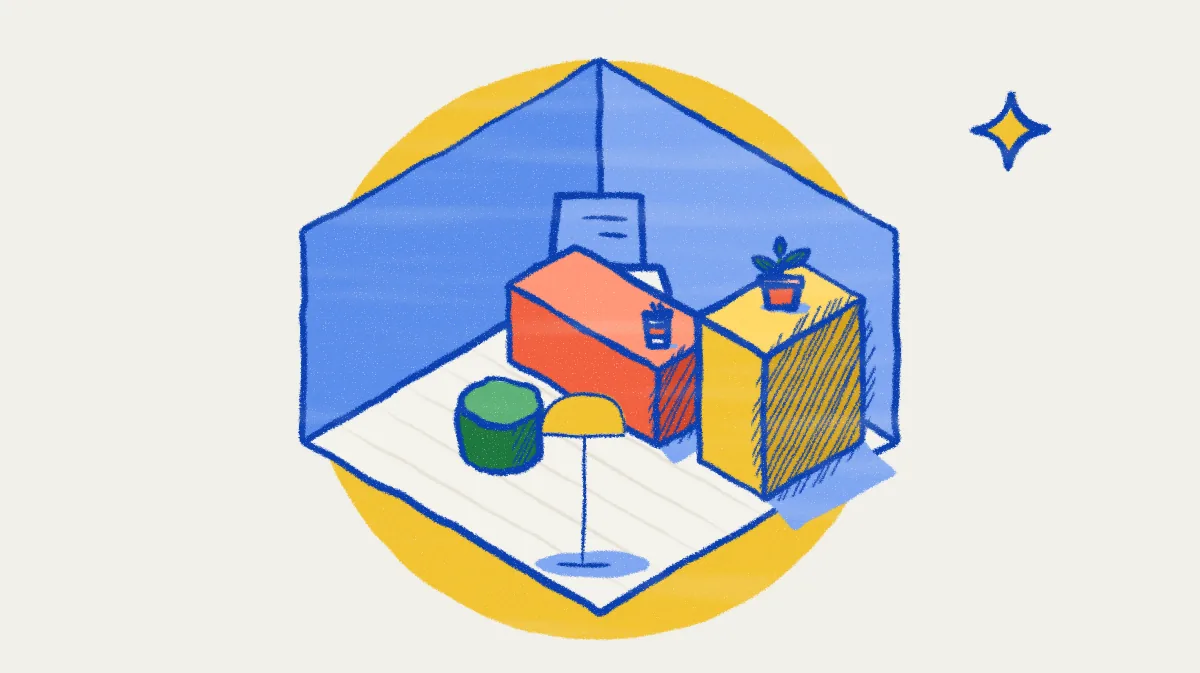
A room is a good subject, but a cover needs a clear focus. Put a yellow disc behind the room, add a sparkle off to the side, and keep the rest of the scene exactly as it is. Write the disc before the iso element so it sits behind the room.
Order matters here: elements are drawn in order, each on top of the last. So the disc comes first, then the iso room with the same objects as before, then the sparkle. The disc is { "type": "disc", "x": 600, "y": 350, "r": 290, "color": "mustard" } and the sparkle is a prop named sparkle at x: 1010, y: 130. The finished cover is the picture at the top of this post.
Render and read the critic
Save the scene as room.json, then render it:
npx levni render room.json room.webp
The command prints the layout critic’s notes. It checks geometry, not taste: elements off the canvas, objects cut by the frame by accident, lopsided weight, no clear focal point. For a room the usual note is that something is cut by the frame, so lower the scale or move the origin. Then look at the picture, because the critic cannot tell you whether a lamp covers the desk.
You can also hand the whole job to an agent. Paste this into Claude or Codex with the Levni MCP server added:
Use the levni MCP server to draw an isometric room for a post about remote
work. Call scene_guide once. Use one iso element with a floor, two walls,
boxes for a desk and a shelf, and props placed with z so they sit on the
furniture. Use list_props to pick real prop names. Call render_scene, read
the critic's notes and fix every one, then save it as room.webp.
Setup for the MCP server is in the MCP server guide.
Change one word and compare
Because the room is data, variations are cheap. Add "projection": "oblique" to the iso element and render again to see the same room drawn with an oblique projection. Add "style": "miniature" to the scene and every wall, box and prop is printed in the miniature inks instead. Change the wall color values to recolour the room, or lower scale to leave more air around it for a title in your layout.
Keep a note of what you changed and render each variant to its own file, so you can compare them side by side before choosing one for the post.
New in v2: whole dioramas in one line
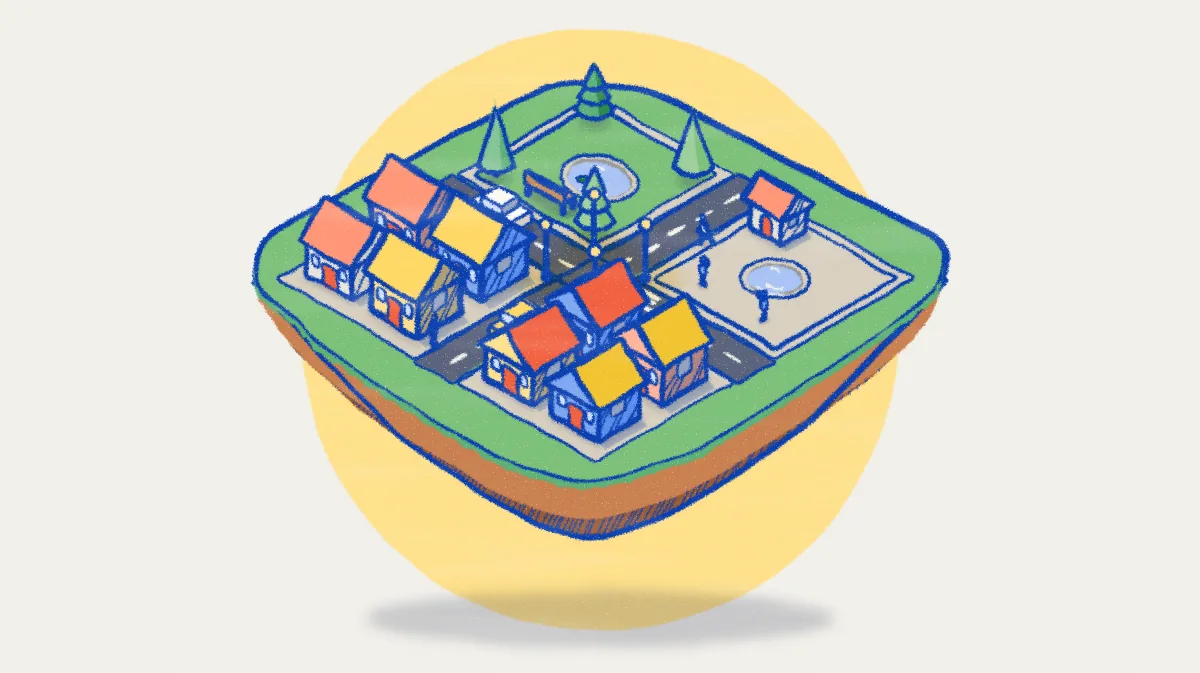
Since this guide was written, the iso element has grown presets. { "type": "iso", "preset": "cafe", "seed": 2 } lays out a whole world: walls with windows and sunlight, furniture, props, trees, roads and faceless people on a floating base with soil layers and a soft shadow. There are seven presets (room, desk, street, city, cafe, office, classroom), round and island bases, a smooth "style": "soft" look and id overrides for single objects. The scenes in this guide still work unchanged. Read isometric diorama illustrations in one line of JSON for the presets.
What to do next
Try the oblique projection by changing one word, and compare. Browse the Levni library for more furniture and desk props, or look under /library/?c=tech. For the first-cover workflow end to end, read generate blog covers with Claude Code. To print the same room in other inks, see style packs.
FAQs
How do I make an isometric room illustration?
Write a Levni scene with an `iso` element. Inside it, list a floor, two walls, some boxes for furniture and props for the details. Render the scene and you get a hand-inked isometric room. No 3D software is involved.
What does the `iso` element draw?
A small 3D world. Its object kinds are `floor`, `wall`, `box`, `cylinder`, `prop` and `draw`. World axes: x runs to the lower right, y to the lower left and z points up.
How do I put an object on a table?
Set its `z` to the height of the table. Objects stand on their lowest drawn point, so a laptop with `z: 80` sits on a box that is 80 high.
What is the difference between iso and oblique?
They are the two values of `projection`. `iso` is the default isometric view. `oblique` draws the same objects with an oblique projection. A scene uses only one projection.
Do I need an API key or a 3D model?
No. Levni draws from JSON on your machine with Node and sharp. There is no image model, no API key and no cost per image.