Reference
Elements
The building blocks of a scene. Start with prop (a drawing from the library); reach for the rest when you need a ground, a chart, a 3D world or a brand texture. The scene fields and the critic are on Scenes.
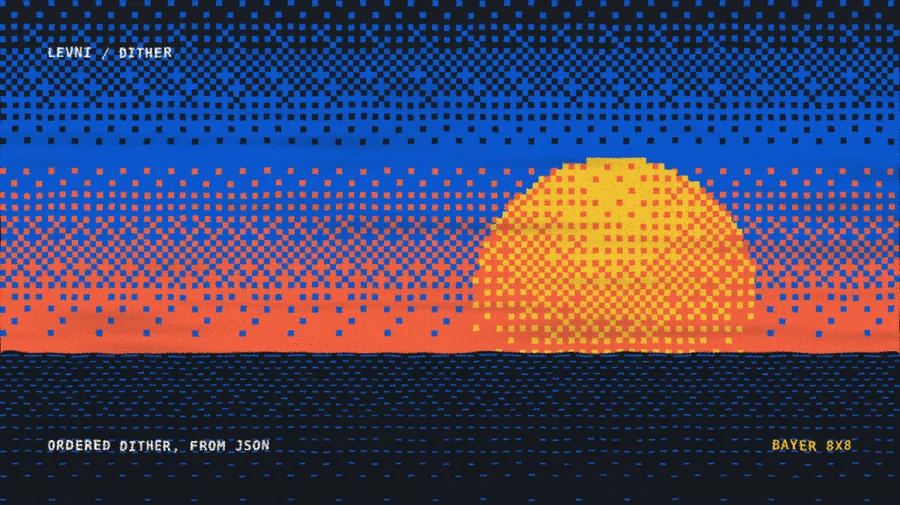
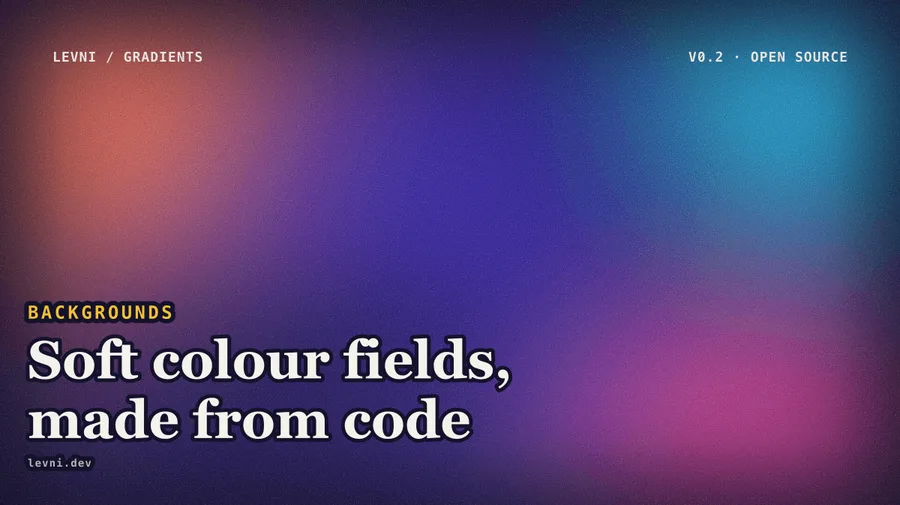
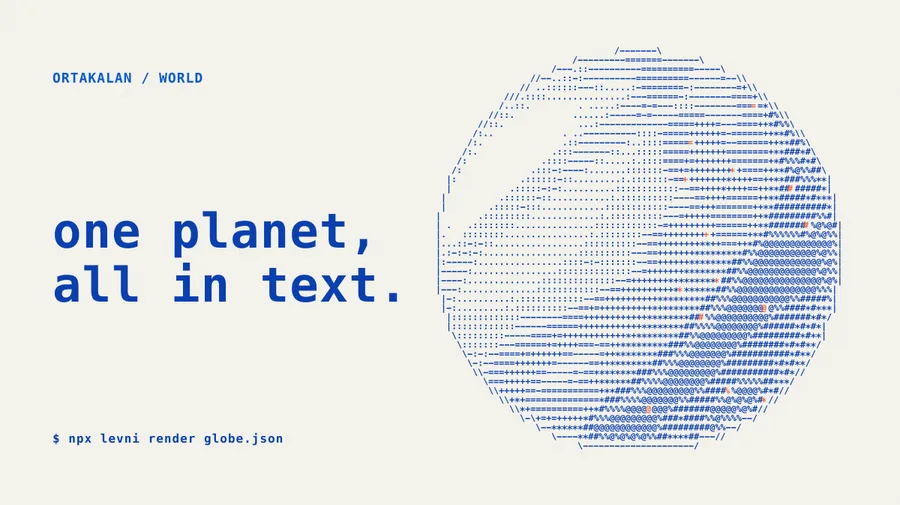

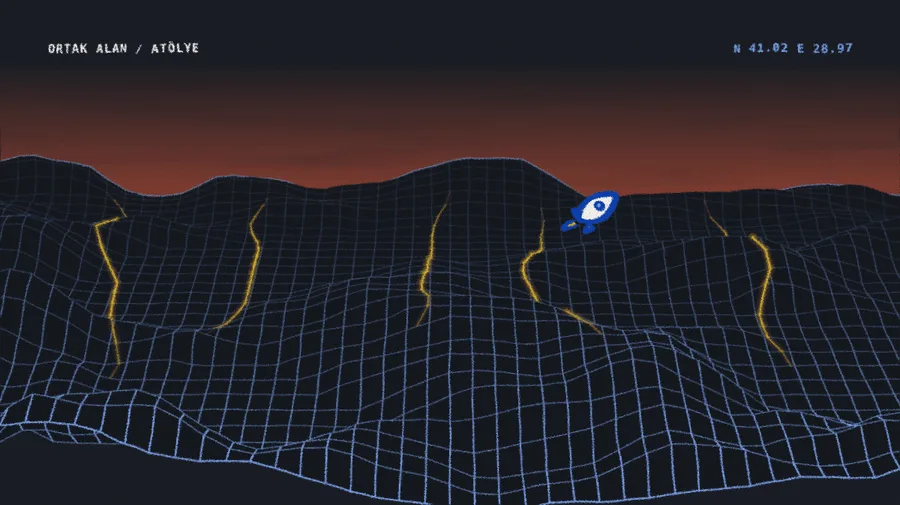
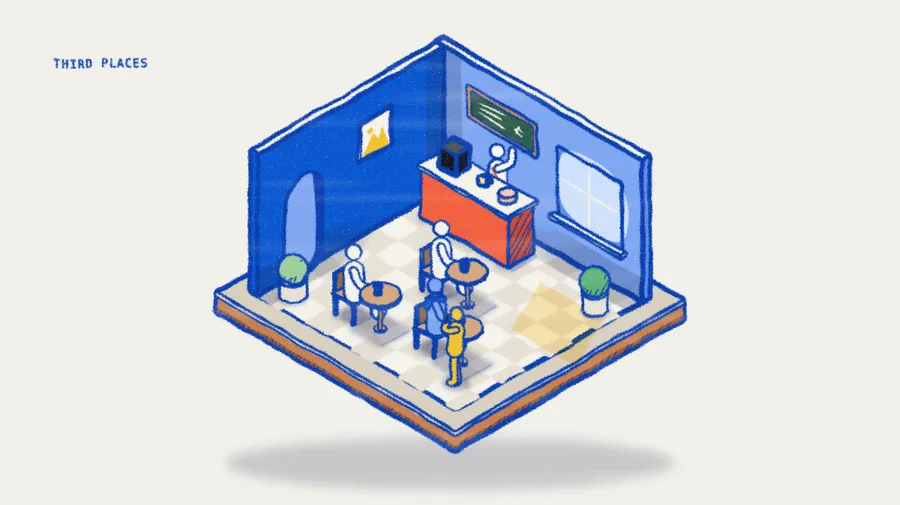
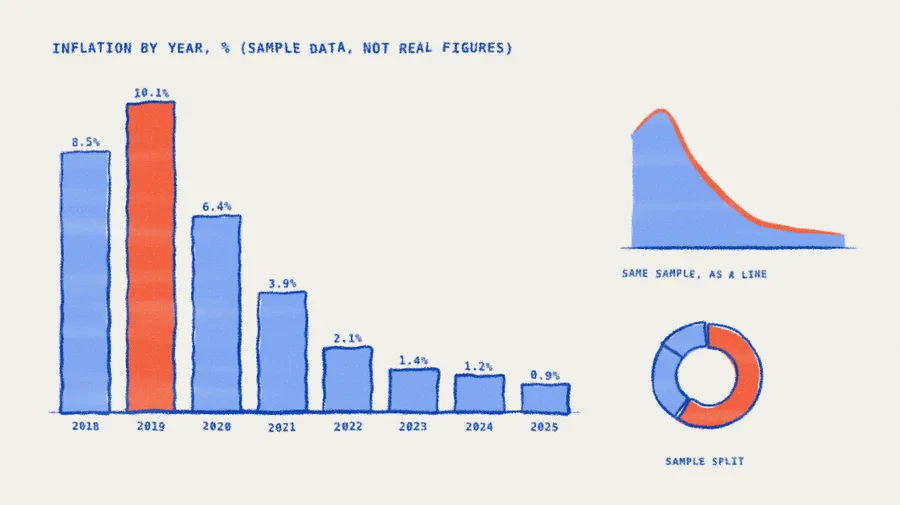

Every picture above is a scene of a few elements; the recipes at the end of this page show how to write them. The tables list each element’s fields, with ? marking optional ones.
Elements#
Objects#
| type | fields | notes |
|---|---|---|
prop |
id?, in?, name (name, old name or tag, any language), variant?, x, y (centre), size, flip?, rot?, overprint?, diecut?, crop?, recolor? ({"coral":"blue"}), palette? ("blue"), fit? |
Use this first. A drawing from the prop library (levni list, levni sheet). Takes every draw option, including depth. Unknown names fall back to icon. |
draw |
x, y (centre of the box), size, paths [{d, fill?, stroke?, weight?, dash?, taper?, rule?}], rot?, flip?, overprint?, diecut?, crop?, fit?, name? |
Your own drawing in a 0..100 box as SVG path data. weight is output pixels (does not grow with size). dash: [on, off] for seams and routes; taper: false keeps line ends blunt; rule: "evenodd" for holes (rings, frames); a zero-length stroke (M x y h.1) is a round dot; diecut: true or {offset, color, line, shadow} makes it a sticker: a thick paper outline (offset default 14 px, clamped 0..60, holes filled, round joins so concave parts stay smooth), hairline ink edge and soft shadow; line art keeps its ink lines on dark grounds; fit: true scales the visible ink to size and centres it on x, y. |
depth on draw/prop |
extrude: {dx, dy, color, steps} · shade: {lx, ly, depth, gap, angle, color} · shadow: {dx, dy, color, opacity} (each may be true) |
Cut-paper thickness, pencil hatching on the side away from the light, a cast shadow. Best on the focal object. |
icon |
name (English concept), x, y, size, color, under?, overprint?, rot?, weight? |
A Tabler icon redrawn in the house line. Needs @tabler/icons (optional peer dependency). |
ascii |
name, x, y, w, h, color, font? |
An icon drawn in characters (good inside a window). Needs @tabler/icons. |
iso |
preset? + seed?, or objects []; base?, style?, palette?, x, y, scale, fit?, ao?, weight?, projection? |
A small 3D world: rooms, desks, streets, cities, floating dioramas. One line gives a whole scene ({"type": "iso", "preset": "cafe", "seed": 2}). Full reference: Little 3D worlds below. |
Grounds and textures#
| type | fields | notes |
|---|---|---|
panel |
x, y, w, h, color, rot?, outline? |
colour block; dark panels flip line art to paper |
disc |
x, y, r, ry?, color, outline? |
sun, highlight circle |
glyphs |
x, y, w, h, color, mode (flat/radial/fade-down/fade-up), level, cx?, cy?, ramp? |
character texture, glow |
glyphfill |
Silhouette: prop (+ variant?, paths? = indices of the prop's paths to keep, flip?, fit?) or shape = circle (default) / sphere / ring (hole? 0.62) / rect / star (points? 5, inner? 0.45); x, y (centre), size (default 400, 8..4000), w?, h? for primitives. Look: mode glyph (default) / block / dot; cell px (default 9; grids over 30k cells are coarsened); chars? ramp light to dense (default " .:-=+*#%@"); color (default paper-ish; light colours glow, dense = bright, dark colours ink, dense = shadow; force with shade: glow/ink); tone? prop (paint sets density) or flat; gamma? 1, jitter? 0.03 (ordered dither), steps? 5, gap? 0.12 (block/dot), aspect? 1.75 (glyph cell height), font?. Light: light = on a sphere {angle, elev} (angle 225 = where the light comes from, degrees, 270 = top; elev 30) with a terminator, core shadow and rim light; on anything else a ramp {mode: radial/linear, cx, cy, radius, angle, from 1, to 0.25}; land? 0..1 (sphere continents, default 0), spin? (rotation, radians). Outline: outline? true (inked strokes and rims are drawn with `- \ |
/by local stroke angle,+at junctions;lineChars? 5 chars to change them), rim? (silhouette rim, default on for primitives), lines? 0.35 (extra density of inked lines), minLine? 0.9 (cells, min outline width), edge? 0.2 (0 on a sphere), field? 0..1 (faint ambient glyphs outside). Accents: accentcolour,accentShare? 0.05, accentMax? 14, accentGap? 6 (min cells between two accents). t` 0..1 spins a sphere's land and sweeps the light. |
waves |
x, y, w, h, gap?, amp?, color |
water, wind, fields, text lines |
hills |
base, height, color, x?, w?, step?, period? |
hills, mountains |
skyline |
x0, x1, base, minH, maxH, colors? |
procedural buildings (40–160 heights read calmer) |
halftone |
x, y, w, h, color, mode (radial/linear), gap?, level? |
riso halftone dots |
type |
text (\n for lines), x, y (top-left: the cap height of the first line sits at y), size or w (+ fit: width / box with h), font (grotesk / black / mono / pixel or a .ttf/.otf path), weight (variable fonts: grotesk 300–700, mono 100–800), tracking (em, e.g. -0.04), leading (0.92), align (left / center / right: without w, x is that anchor), rotate (-90 reads bottom to top), upper, locale, color, outline, opacity, boldFont / boldWeight / lightFont / lightWeight, ink |
Display type drawn as paths from bundled OFL fonts, so it renders the same everywhere. **bold** and __light__ switch weight inside a line ("SMART**CONTRACTS**"). Turkish casing is automatic. Type stays sharp above the crayon filter unless ink: true |
block |
x, y, w, h, color, radius or corners [tl, tr, br, bl], skew, rotate, outline + weight, opacity |
a crisp colour block without hand wobble: poster panels, bars, pills, half-pills |
dither |
x, y, w, h (or x, y, r for a disc); color or colors [light → dark inks], mode (linear default / radial / noise / flat), from (1), to (0) coverage 0..1, angle (90 = top to bottom), cx, cy, radius (radial), scale (noise, 0.006), cell (12 px, min 3), matrix (2 / 4 / 8), pattern (square / dot / line / plus), gap |
ordered (Bayer) dither field: pixel skies, 1-bit fades, dithered suns and orbs. With several colors the coverage walks through them (paper → first → second). Goes through the crayon finish like everything else; use "finish": "soft" for razor-sharp pixels |
shapegrid |
area x, y, w, h; cols, rows (4, 4, max 60), gap (12, exact between cells); modules (pool, default all but blank): pill-left/right/up/down, half-circle (+ -up/-down/-left/-right), quarter (+ -tl/-tr/-bl/-br), circle, square, diamond, arch (+ direction), blank; colors + weights (default first colour 8, others 1) or [{color, weight}]; blank? 0..1 share of empty cells; radius? (rounds the flat corners), round? 0..1 (how round the round ends are); bg?. Placement: cells row-major list, each "module", ["module", "color"], ["module", "color", [2, 1]] (merged span) or null; spans [{col, row, cols, rows, module, color}] placed first (use "module": "blank" to keep a slot free for a headline); cells not covered are filled from the seed unless explicit cells are given (fill: true forces it) |
Bauhaus / Swiss modular grid: crisp pills, semicircles, quarters, arches flush in their cells with exact gaps. Use "finish": "soft" |
echo |
silhouette: prop (+ variant?, paths? indices to keep), paths (draw paths in a 0..100 box), d (one path) or shape circle / rect (radius?) / pill / triangle (+ aspect?); x, y (centre of the TOP copy), size (400, ink fitted to it), n (8 copies, max 60), dx, dy (offset per copy, default 0, 24: copies stack up-left behind the top one), scaleStep? (size lost per copy back), from, to (tones, light to dark), steps? (distinct tones), solid? (also fill line art), flip; top copy: outline colour + weight (6), top fill colour, or final: "prop" for the prop's own paint; outlineAll? |
the offset-repeated silhouette ("SELF TALK" head stack): N copies in stepped tones, last on top |
dotmatrix |
area x, y, w, h; grid by cell (14) or cols/rows (centred in the area); mask: world (built-in 3° land bitmap; view [lon0, lat0, lon1, lat1] to crop, fit contain / cover / stretch), prop (+ prop, variant, flip, scale), noise (scale, level), pattern (rows like ["..o..", ".ooo."]: o # x 1 @ filled, O 0 h * hollow, . or space background) or none (all dots); invert?, threshold?; looks: filled (ink), hollow share (0.2) of the dots as rings (hollowMode noise clusters / random / edge; hollowScale), hollowColor, ring (ring weight, 0.14 of the cell), dot (0.64 of the cell), faint colour (or {color, size}) for the dots outside the mask, accent + accentShare (0.06) |
dot-matrix maps and silhouettes: even, print-sharp, filled / hollow / faint dots. No size jitter |
furniture |
area x, y, w, h (default: the whole canvas), color, upper? (mono text is upper-cased); parts, all optional: border {inset 24, gap 11, dot 3, fade: down / up / mid / ends, min, color} (dotted, dots land exactly on the corners); corners {style: squares / registration / brackets / plus, size, inset, weight}; plus {n 4, size, gap, weight, edge: top / bottom, align: start / center / end, inset, at: [x, y]} (row of plus signs, vector); rules [{y, inset} or {x, inset} or {x0, y0, x1, y1}, weight, dash, color}]; credits {left, centre, right, size 13, edge: bottom / top, inset 40, y} (or an array of rows); tag {text, corner: tl / tr / bl / br, at: [x, y], size, box: outline / fill / none, radius, textColor} (code tag like NT5642) |
poster furniture: dotted border, registration marks, plus row, mono credits row, code tag, thin rules. Set color explicitly on dark grounds |
meshgrad |
x, y, w, h (or x, y, r for an orb); preset? (orb/poster), shape? (rect/circle/squircle), radius? (rect corners, px), exponent? (squircle, default 5), base?, colors? (default blue, coral, mustard, tone), count? (2..12, default 5) or stops? [{x,y,color,r?,opacity?} in 0..1 box units], blur? (px, default 14% of the short side), drift? (t motion, default 0.06), grain? (0..1, default 0.35), grainSize?, bands? (2..12 hard colour steps), lines? (contour lines between bands), calm? [[x,y,w,h]] quiet zones for text, mask? [{x,y,w,h,shape?,radius?}] show the field only inside these shapes |
grainy mesh-gradient / blurred-orb background, feature tile, avatar or posterised poster; best with "finish": "soft" |
amtone |
Region x, y, w, h (or x, y, r for a disc; default whole canvas); source linear (default; toneAngle 90 = top to bottom, from 1, to 0) / radial (cx, cy, radius) / noise (scale 0.006, octaves 3, contrast, seed?) / terrain (noise heightmap read as a landscape lit from light degrees, 225 = top left, 270 = top; elev 38, relief 1.4, rough 0.38, sea 0..1 flattens lowlands, bias, auto-levelled) / prop (prop name, variant?, x, y centre, size; paths darker by fill, strokes full ink; flat: true makes the whole silhouette solid) / flat (level). Screen: shape dot (default) / square / line (engraved lines whose thickness follows tone), cell (14 px; huge areas get coarser), angle (45), gamma 1, invert, level 1, clip rect / circle / none. colors [a, b, c] = one screen per colour at angle, angle + angleStep (30) …, overprinted with mix-blend-mode: multiply (blend: "normal" for dark grounds; level2 0.85 weakens the extra screens) |
Amplitude-modulated halftone: a rotated dot screen whose dot size follows a tone field. Riso overprints, terrain posters, halftoned props. Pure vector, crisp under soft; dots are grouped so a full-page screen stays about 1 MB |
camo |
Region as amtone; colors 1..4 (levels, outermost first), ground? (fills the region first), threshold 0.5 (share of the area left clear: higher = fewer blobs), levelStep 0.18 (gap between levels), scale 0.006 (blob frequency), octaves 3, res? (grid px), smooth 2 (Chaikin passes, 0..4), speckle 0..1 (torn print: specks fly off the edge, holes bite into it), speckleSize 2.2, clip |
Threshold-noise blobs: marching squares on a seeded fbm grid, closed smooth contours, nested levels. Camouflage, topographic prints, liquid splits |
grain |
Area x, y, w, h / r (default the whole canvas); density specks per 1000 px² (8; toner 3), size 1.1 px, color or colors, opacity 0.35 (toner 0.8), mode speck (default) / toner (clustered specks: cluster 14, spread 11, plus lone specks; streaks 0 adds copier streaks), clip |
Film grain / photocopy toner drawn as seeded SVG specks (not an SVG filter), so it looks the same in every renderer. Put it last; use paper colours on dark grounds |
screen on any element |
"screen": "riso" or {preset?, cell, matrix, inks, paper, spread}: same options as the scene-level screen |
Only that element is printed as an ordered dither. Compose renders the element alone, runs screenRaster on it over paper, and puts it back as an embedded pixel-art image (cells under half covered stay transparent). Works on anything with a measurable box (procedural assets, panels, discs, props); the raster is limited to that box |
terrain |
x?, y?, w?, h? (0,0,1200,673), horizon? (0.4), rows? (26, max 80), cols? (44, max 120), height? (0.3 of h), skyline? (0.45: how far the far rows rise into a ridge against the sky), freq?, valley?, converge?, spread?, color, ground (the background colour, hides lines behind hills), flow? (0, max 12: glowing streams that follow the valleys), flowColor? (mustard), glow? (horizon colour), glowHeight?, glowLevel?, fog? (far-line opacity), weight?, seed? |
wireframe perspective terrain with a silhouette ridge and depth fade, hidden lines removed; synthwave / tech hero |
ridgelines |
x, y, w, h, lines? (34, max 120), points? (110, max 400), height? (0.42), peaks? (center/noise), center?, spreadX?, drift?, fade? (false = no depth fade), color, ground, weight? (2), seed? |
stacked profile lines, each hides the ones behind (Joy Division) |
engrave |
mode (landscape default, globe, radial, noise), x, y, w, h (globe: x, y centre, r), color (ink), ground (paper colour), gap? (6; min 3), weight? (0.78: line thickness as a share of gap), seed?; landscape: sun {x,y,r}, layers? (3, max 5), relief?, angles?, bend?, ripple?, rays? (28, max 120), cross?, frame? (true: hairline plate frame), outline?; globe: tilt?, lightAngle?, craters? (9, max 40; lit rim, shadowed bowl); radial/noise: cx, cy, radius, scale, angle, bend, falloff |
pen-hatch engraving: lines whose thickness follows a tone field (etched mountains and sun, a latitude-hatched moon) |
flowfield |
x, y, w, h, colors?, spacing?, length?, scale?, turn?, weight? |
noise flow lines (wind, water, data) |
hatch |
x, y, w, h or x, y, r or points; color, angle?, gap?, cross?, outline? |
hand hatching instead of a flat fill |
confetti |
x, y, w, h, kind (confetti/rain/stars), spacing?, colors? |
Poisson-spread confetti, rain, stars |
marks |
area [x, y, w, h], count, colors |
stars, sparks, squiggles, plus signs |
People (faceless only)#
| type | fields | notes |
|---|---|---|
crowd |
x, y, w, rows, size, color?, back?, highlight?, share? |
audience from behind. y is the back row's base; each row steps size × 0.45 down, so to sit on the bottom use y ≈ 673 − (rows − 1) × size × 0.45 |
isotype |
x, y, cols, rows, size, color, highlight, share |
pictogram grid; take the share from the story, never invent numbers |
person |
x, y (feet, centre), size (height), pose, facing? (right default, left flips), color? (body, default white), outline?, accent? (colour of a scarf, or a bag with accentKind: "bag"), hold?, itemColor?, phone? |
one full-body faceless figure: round head with nothing on it, rounded torso, limbs as thick inked tubes, mitten ends. Poses: standing, walking, running, sitting (on an implied seat: the hip floats, draw the chair yourself), pointing, waving, raising-arm, holding (give hold a prop name to draw it small at the hands), carrying (a box, coloured by itemColor), reading (a book), phone (arm to the ear; phone: false hides the handset), thinking (hand at the chin), cheering, kneeling, leaning (leans back on an implied wall; draw the wall yourself). Feet always land on y. On a blue panel use color: "paper" or a tone; the far arm and leg are tinted so the pose reads. Weakest at small sizes: leaning, thinking |
people |
x, y (baseline), w, n, size, poses? (list, cycled), colors? (cycled), accents?, facing? (left/right/alternate; default: left half faces right, right half faces left, so they face each other), hold?, vary? |
n persons spread along a line from x to x + w with slight height and position variation; use for groups, queues, conversations. Reads best at size 160–320 |
Things and marks#
| type | fields | notes |
|---|---|---|
sheet |
x, y, w, h, color, rot?, content (lines)?, pin? |
paper, note, document |
window |
x, y, w, h, title? |
screen or browser window |
bubble |
x, y, w, h, tail (left/right), content (lines/dots/heart/none), color?, accent? |
speech bubble |
stack |
x, y, w, h, count?, colors? |
pile of papers |
tree |
x, y (root), size, depth?, leaves?, leafColors?, weight? |
recursive branching tree |
plant |
x, y (pot rim), size, leaves?, leafColor?, pot?, potColor? |
potted plant |
cloud |
x, y (base), size, bumps?, color?, drift? |
cloud |
sunburst |
x, y, size, rays?, color?, rayColor? |
rayed sun |
rose |
x, y, size, petals?, fill?, center? |
rose-curve flower or emblem |
spiro |
x, y, size, R?, r?, d?, turns? |
hypotrochoid ornament (money, seals) |
flag |
x, y, w, h, stripes [], canton? |
waving striped flag; must not imitate a real country's flag by accident |
badge |
x, y, size, color?, fill?, weight? |
round badge frame |
ringtext |
x, y (centre), r (baseline radius, default 100), text, size? (18), start? (deg, 0 = top, clockwise), spacing? (2 px between glyphs), side? (out: reads along the top, in: reads along the bottom, upside-down-safe), align? (start/center: where start sits), repeat? (fill the whole ring with text + sep; spacing is stretched so it closes without gap or overlap, the type shrinks if one unit does not fit), sep? (✦), color? (ink), upper? (true), locale? (auto tr when the text has ı İ ğ ş), spin? (turns over t 0..1, whole numbers loop) |
mono text on a circle. Glyphs are set one by one, each centred on its slot, so M/W and Turkish Ğ Ş İ ö ü ç sit even. The critic box follows the real glyphs (an arc is not a full square) |
seal |
x, y (centre), size? (300, 40..2000), edge? (scallop default / perforated / zigzag / plain), bumps? (24/36/28, 6..120), depth? (edge depth as share of the radius, ≤ 0.2), fill? (paper), color? (ink of edge, rings, text), weight? (6), shadow? (true), ring? (true: the two guide rings); ring text: text (repeated around, closes exactly) or top / bottom (centred arcs, spacing?), plus sep?, textSize? (never larger than the band allows), textColor?, ringColor?, start?, locale?, upper?, spin? (turns over t); centre: word (+ sub?, wordSize?, wordColor?) or prop (a prop name, + propVariant?, propRot?, recolor?; the prop turns with rot); inner? (0.62, inner ring radius share), rot? |
sticker or stamp badge. Use word or prop, not both |
stub |
x, y (top-left corner), w? (300), h? (130), split? (0.72, 0.1..0.95: where the perforation sits), notch? (radius of the exact half-round cut, default 14 % of h, max 20), text? (main text, left part, shrinks to fit), stubText? (rotated, right part), textSize?, textColor?, fill? (paper), color? (ink), weight?, shadow?, locale?, rot? (about the centre) |
ticket body with symmetric half-round notches and an evenly spaced dotted perforation |
ticks |
x, y (corner of an object), angle?, spread?, size?, colors?, count? |
three short coloured dashes radiating from an object; once or twice per scene |
arrow |
from [x, y], to [x, y], bend, color |
hand-drawn arrow |
line / shape |
points [[x, y] …], color / fill, stroke, weight, closed? |
free line or shape |
brush |
points [[x, y] …], width?, taper?, color |
brush stroke that swells in the middle |
label |
text, x, y, size?, color?, anchor?, upper? |
small mono label (section / topic). Not for headlines. |
Data charts#
Charts are drawn with the hand pen from numbers you give; nothing else is invented. Values are scaled to the box, zero and negative values are handled (negative bars hang below the baseline), and bad numbers count as 0. Common options: labels [text …], colors, highlight (index, painted coral with the rest tone), showValues (prints the numbers, with prefix, suffix, decimals), labelSize, weight, and ink (axis, outline and label colour; on a dark panel set "ink": "paper" and pick colors that show on it).
| type | fields | notes |
|---|---|---|
bars |
x, y, w, h, values, horizontal?, gap? (0..0.9), baseline? (false hides it), min?, max? |
bars from a zero baseline; a value outside min/max is clipped to it |
linechart |
x, y, w, h, series [[…], […]] or values, dots?, area? (fills under the first series), areaColor?, axis?, zero? (false: do not force the scale to include 0), min?, max? |
one line per series; a single value becomes a dot |
pie / donut |
x, y (centre), r, values, hole? (0..0.8; donut default 0.55), explode? (fraction of r), start? (degrees, default -90) |
negatives count as 0; all zeros draws an empty outline; highlight also pulls that slice out |
isochart |
x, y (top-left of first row), values, unit (value per icon), icon? ("person" or a prop name), size?, maxIcons?, showUnit? |
one row per value, a part icon is cropped to the remainder (12.5 at unit 10 is 1.25 icons); unit is raised if a row would exceed maxIcons (24) |
Soft 3D look (use with "finish": "soft")#
| type | fields | notes |
|---|---|---|
ribbon |
points [[x, y] …] or circle [cx, cy, r], width, colors [a, b, …] (gradient along the length), back?, twists?, phase?, closed?, highlight? |
a wide band swept along a smooth line; where it twists it narrows and shows its back side. 5–7 points that run off the canvas read best |
tube |
points or circle [cx, cy, r] (or [cx, cy, rx, ry, rotation]), width, color, light? |
a round tube shaded from a dark rim to a light core; three circles make interlocking rings |
image |
src (local png, jpg, svg or webp), x, y (centre), size, card?, cardColor?, radius? |
a picture on a rounded card, e.g. a product logo you have the right to show. Logos never go into the Folio |
Soft 3D (v2): real 3D shapes, use with "finish": "soft"#
A small 3D renderer in plain math: shapes are cut into small quads, lit (a key light from the upper left, ambient, a soft glossy highlight and a rim), coloured through a ramp per material (cool shadow, base, pale highlight) and painted back to front. A ribbon passes behind itself, interlocking rings really interlock, and quads are overdrawn with their own colour so no seam shows. Pure SVG, no dependency; a typical cover renders in about half a second.
Coordinates. Canvas pixels, as everywhere: x right, y down, plus z toward the viewer (z = 0 is the picture plane, where a point lands exactly on its x, y). One perspective camera looks at the canvas centre; fov (default 28) sets how strong the perspective is. A shape placed with x, y, size is built in a unit space (radius 1) and scaled so it is about size px across; rotate: [rx, ry, rz] (degrees, x first, then y, then z) turns it about its own centre. Each element is sorted on its own: shapes that must pass through each other go into one soft3d element.
Materials. colors (a gradient across the shape: around a torus, along a ribbon, top to bottom on a sphere) or color; gloss (0..1, default 0.55), shine (highlight tightness, default 34), rim (0..1), rimColor, shadowTint (default deep indigo), highlight, shadowColor. shadow: a soft drop shadow (default on; false, or { color, opacity, blur, dx, dy }). spin: turns per animation loop.
| type | fields | notes |
|---|---|---|
ribbon3d |
preset (loop, s-curve, wave, spiral, mobius, knot, ring) or points [[x, y, z] …] (canvas px), x, y, size, width (px), twist (turns along the length), colors (stops along the length), back (colour of the back side), roll, curl, seed |
a band swept along a smooth 3D line with rotation-minimising frames. mobius (a closed band with twist: 0.5) has one side and no seam. seed bends a preset smoothly, so every seed is a slightly different ribbon. With points the line is in canvas pixels and x, y, size are not used |
tube3d |
same as ribbon3d, width is the diameter |
a round tube along the line; preset: "knot" is a trefoil knot |
torus3d |
x, y, size, thickness (tube / ring radius, default 0.36), rotate, colors |
a glossy ring |
sphere3d |
x, y, size, colors |
|
capsule3d |
x, y, size (length), radius (0..1 of half the length, default 0.42), rotate, colors |
a pill |
blob3d |
x, y, size, wobble (default 0.22), seed, colors |
a smooth, softly lumpy sphere; the seed shapes it |
cubes3d |
x, y, size, heights [[…] rows] or rows/cols/maxHeight (seeded), or blocks [[i, level, j] …], round (corner radius, default 0.18), gap, colors, colorBy (height), rotate, seed |
stacked rounded blocks, like a little building or a 3D bar chart; with two colors and "colorBy": "height" the stack shades from the first colour at the bottom to the last at the top |
extrude3d |
name (+ variant, recolor, palette) of a Folio prop, or paths (0..100 box), x, y, size, depth (fraction of size, default 0.16), rotate (default [-16, -26, 3]), lines (raised or none), ink (recolour the lines), sheen (false to switch off the front gloss) |
every library drawing as a 3D icon: the filled shapes become one thick object with rounded, lit sides, the front keeps the prop's colours, the ink lines become a raised rim. Fits the visible ink to size |
soft3d |
objects [{ type: torus, sphere, capsule, blob, cubes, ribbon, tube, plus their fields, x, y, z, size, rotate }], x, y (pivot), rotate (turns the whole group about the pivot), yaw, pitch, fov |
several shapes with one camera and one depth sort: chains of rings, a planet in its ring. Objects inside a scene have no default rotation |
soft3d with preset |
preset: auto or ribbon, wave, mobius, spiral, knot, rings, orbit, pebbles, stack; seed, palette, titleSpace (bottom default, top, left, none), badge (an image path or the image fields), badgeCorner, side (right/left), background (false keeps the scene's own) |
a whole cover: a studio gradient background with a glow, one or two hero shapes bleeding off one or two edges, clear room for a left-aligned title, and a clear corner for a badge. The layout is chosen by trying several placements and keeping the most balanced one. With auto, seeds 1 to 9 walk through all nine layouts, so neighbouring seeds always differ |
Palettes for soft3d presets (palette): aqua (pale blue, teal to indigo), sunset (peach, amber to violet), mint-night (deep purple, mint), lilac (pale lilac, violet), mono-blue (royal blue, pale blues), or your own: { "background": ["#F2EEE6", "#E4DCCD"], "stops": ["#FFB36B", "#FF5E62", "#8E3BC9"] } (optional solids [[a, b] …] for spheres and rings, cubes, shadowTint, dark). On the dark palettes set the scene background to the palette's dark colour (#140A35 for mint-night, #071A5C for mono-blue) so the title picks light text and a matching halo.
{ "finish": "soft", "background": "#E4EEF9",
  "elements": [{ "type": "soft3d", "preset": "auto", "seed": 4, "palette": "aqua", "badge": "logo.svg" }],
  "title": { "text": "Why every newsroom wants a data desk", "kicker": "Analysis" } }
Limits: painter's sorting is per quad, so two surfaces that actually cut through each other (not just pass close) show a slightly jagged meeting line; interlocking rings must not touch: with ring radius R and tube radius r (thickness = r / R, at most 0.33 for a chain), put chain links between R + r and 2 (R − r) apart (size 300 and thickness 0.3: 150 to 160 px); two links can simply sit R apart. Each element sorts only its own shapes. Shading is flat per quad (quads are a few pixels), so very large, very smooth shapes can show faint steps that the film grain hides. The old ribbon and tube above stay as they were.
Little 3D worlds (iso)#
An iso element is a small isometric world built from objects in world units (about a pixel at scale 1). World axes: x runs to the lower right, y to the lower left, z up. A room has its two walls at x = 0 (the left wall, along y) and y = 0 (the right wall, along x); the viewer looks from +x, +y, above. Every object stands on z = 0 unless you give z (put a laptop on a 60-high desk with "z": 60). Objects are drawn in painter's order from their 3D boxes (far before near, under before on top), so the order you list them in does not matter.
{ "type": "iso", "preset": "room", "seed": 3 }
{ "type": "iso", "preset": "city", "seed": 2, "style": "soft", "palette": "pastel" }
{ "type": "iso", "base": { "shape": "round" }, "objects": [ { "kind": "tree", "x": 0, "y": 0 }, { "kind": "bench", "x": 30, "y": -20 } ] }
World options
| field | meaning |
|---|---|
preset |
room, desk, street, city, cafe, office, classroom: a seeded generator lays out a plausible scene (walls, windows with sunlight, furniture, props, trees, roads, people) on a diorama base. |
seed |
picks the preset's layout, colours and people (default 1). Same seed, same world. |
objects |
your own objects. With a preset they are added; an object with the id of a preset object overrides its fields ({"id": "rug", "color": "mustard"}), and {"id": "rug", "remove": true} drops it. Preset ids: floor, wall-back, wall-left, rug, desk, sofa, shelf, plant, person, counter, menu, board, road, car-1, … (ids follow the kind; see src/iso-presets.mjs). |
base |
true or { shape, depth?, top?, edge?, …} with shape square / round / island and edge grass / tile / none; also { margin?, lift?, float?: false, shadow?: false, layers?: [{h, color, hatch?}], x?, y?, w?, d? }: the world sits on a thick slab with visible soil layers and a grass lip (or a tile edge), floating over a soft contact shadow. island tapers into a rounded keel. Without x/y/w/d the slab follows the objects plus margin (26). |
style |
soft: smooth gradient shading, no ink outline, a light rim on top faces (pair it with the scene's "finish": "soft"). Default: hand-inked faces, three riso tones and hatching on the shaded side. Props and people keep their own line in both styles. |
palette |
colour roles for presets and default object colours: house (default), pastel, warm, blue (blue only, for hard news: every accent and every prop folds into the blue family). |
x, y, scale |
where the world origin lands and how big a world unit is. Leave all three out and the world is fitted to the canvas (fit: [x, y, w, h] fits it into a box instead). |
ao |
ambient occlusion (default on): a soft dark band where walls meet the floor and in room corners, contact shadows under every object, a faint cast shadow to the lower right. false keeps only the cast shadows. |
weight |
outline weight (default 7, thinner at small scales). |
Object kinds (all take x, y, z?, color?; sizes are w along x, d along y, h up)
| kind | fields | notes |
|---|---|---|
floor |
w, d, pattern: boards / tiles / checker / hatch, step? |
|
wall |
axis x / y, w or d, h, t? (thickness, 14), windows: [[u, v, w, h] or {u, v, w, h}], light?, door: [u, w, h], arch: [u, w, h], cap? |
a thick slab with its cut top showing. Openings are cut in with their reveal (the wall's depth) and what lies beyond; windows get mullions and a sill; light: true throws the window's patch of sunlight on the floor. window: [u, v, w, h] (one) also works; values ≤ 1 are shares of the wall. |
box |
w, d, h, windows: [cols, rows], stripe?, door?, roof?: gable / hip / flat, roofColor?, ridge? x/y |
|
house |
w, d, h, ridge?, roofColor?, doorColor? |
a box with a gable roof, a door and windows |
building |
w, d, h, lights? |
windows on both faces (lights: true lights some of them), a flat roof with a parapet and a roof unit |
roof |
w, d, h, type gable / hip / flat, parapet?, overhang? |
on its own, e.g. on top of your own box |
stairs |
w, d, h, steps? (5), dir: +x / -x / +y / -y (the way up) |
|
ramp |
w, d, h, dir |
a wedge rising toward dir |
fence, lowwall, hedge |
axis, w or d, h?, gap? (fence pickets) |
|
pond / water |
w, d, shape round / rect, rim?, lily? |
stone rim, sunken water, ripples |
road |
w, d, axis, dashes?, crossing? (offset of a zebra crossing) |
|
path |
w, d, stones?, shape? |
pavement, sidewalk or garden path |
rug, decal |
w, d, shape rect / round, pattern? stripes, border? |
flat on the floor |
tree |
r, h, shape ball / cone / pine, trunk? |
|
bush |
r |
|
lamp |
h, glow? |
a lamp post with a pool of light |
bench, chair, sofa, table (shape: "round"), desk, counter, shelf (with books), bed |
w?, d?, h?, facing +x / -x / +y / -y |
room-scale furniture (a desk is 60 high, a person 120) |
car |
axis |
|
cylinder, stool, pot |
r, h |
pot carries a round plant |
person |
h (120), pose, facing, color, accent? |
a faceless person standing at a world point (sitting on a chair: same x, y as the chair) |
prop, draw |
name / paths, size, variant?, contact? |
stands on its lowest drawn point |
prop / draw with wall |
wall x / y, along-wall position (x on an x wall, y on a y wall), z (centre height), size |
hung on the wall: the drawing is mapped into the wall plane (a poster, a clock, a calendar) |
frame, board, clock |
wall, position, z, w, h / r, art: hills / blob / chart / chalk / lines |
a framed picture, a chalk or white board, a wall clock |
The first-generation kinds (floor, wall, box, cylinder, prop, draw) with none of the options above keep the original renderer and draw exactly as before; projection: "oblique" works only there. Examples: iso-room (a hand-built diorama), iso-city, iso-cafe (a preset with an override), iso-soft.
Recipes#
Dither recipes#
Try these in the browser: the free dither maker.
A dithered sunset (OG card): two-ink sky, a radial sun that fades from mustard to coral, line-dithered water.
{ "background": "dark", "elements": [
  { "type": "dither", "x": 0, "y": 0, "w": 1200, "h": 470, "colors": ["blue", "coral"], "from": 0.05, "to": 1.05, "cell": 8, "matrix": 8 },
  { "type": "dither", "x": 820, "y": 400, "r": 190, "colors": ["coral", "mustard"], "mode": "radial", "cy": 260, "radius": 330, "to": 0.42, "cell": 8, "matrix": 8 },
  { "type": "dither", "x": 0, "y": 470, "w": 1200, "h": 203, "color": "blue", "from": 0.55, "to": 0, "pattern": "line", "cell": 8 }
]}
Any scene as a riso print: add "screen": "riso" (or "1bit", "blueprint", "gameboy", "newsprint", or { "cell": 5, "inks": ["#14181F", "#F2603F"] }).
Meshgrad recipes#
Try these in the browser: the free mesh gradient maker.
Hero background with a quiet corner for the title (box units 0..1), a posterised orb and a gradient avatar:
{ "finish": "soft", "background": "#14122B", "elements": [
  { "type": "meshgrad", "x": 0, "y": 0, "w": 1200, "h": 673, "base": "#1B1745", "blur": 90,
    "stops": [{ "x": 0.12, "y": 0.2, "color": "#FF7A59", "r": 0.75 }, { "x": 0.9, "y": 0.15, "color": "#2FD4FF", "r": 0.6 }],
    "calm": [[0, 0.52, 0.62, 0.48]] },
  { "type": "meshgrad", "x": 900, "y": 450, "r": 90, "preset": "poster", "colors": ["coral", "mustard"] },
  { "type": "meshgrad", "x": 1060, "y": 450, "r": 60, "preset": "orb", "colors": ["#7CF0D0", "#2A9DFF", "#2A2BA8"] }
] }
With no colors the field uses the engine inks, so it follows style packs. mask keeps the gradient to chosen shapes and leaves the rest of the box empty.
Line-art landscape recipes#
Try these in the browser: the free terrain and etching maker.
Terrain hero on dark (glowing streams, sunset glow behind the far ridge):
{ "background": "dark", "elements": [
  { "type": "terrain", "horizon": 0.42, "height": 0.24, "freq": 1.6, "color": "tone", "ground": "dark", "flow": 5, "flowColor": "mustard", "glow": "coral", "seed": 2 },
  { "type": "label", "text": "Ortak Alan / Atölye", "x": 64, "y": 70, "color": "paper" }
] }
Etched plate and moon (use color: "ink", ground: "paper" on a paper background):
{ "background": "paper", "elements": [
  { "type": "engrave", "x": 70, "y": 70, "w": 1060, "h": 533, "color": "ink", "ground": "paper", "sun": { "x": 760, "y": 200, "r": 62 } },
  { "type": "engrave", "mode": "globe", "x": 600, "y": 336, "r": 250, "craters": 9, "color": "ink", "ground": "paper", "seed": 3 }
] }
Ridgelines on dark: { "type": "ridgelines", "x": 60, "y": 150, "w": 1080, "h": 440, "lines": 34, "color": "paper", "ground": "dark" }. Examples: examples/engrave-*.json.
Seal recipes#
Try these in the browser: the free sticker maker.
A stamp, a die-cut sticker and a ticket. All three work on paper and on dark grounds, under finish: crayon and soft.
{ "background": "paper", "elements": [
  { "type": "seal", "x": 400, "y": 340, "size": 440, "edge": "scallop", "fill": "coral",
    "text": "ortak alan", "word": "2026", "sub": "est.", "wordColor": "paper", "spin": 1 },
  { "type": "ringtext", "x": 400, "y": 340, "r": 260, "text": "small studio · big habits", "size": 17, "repeat": true, "color": "blue" },
  { "type": "prop", "name": "rocket", "x": 860, "y": 220, "size": 220, "rot": 15, "diecut": { "offset": 16 } },
  { "type": "stub", "x": 700, "y": 400, "w": 340, "h": 140, "fill": "tone-mustard", "text": "admit one", "stubText": "no. 07" }
] }
Keep ring text and other marks at least size px away from each other; a seal with prop or word in the centre needs no extra element. Examples: seal-est, seal-sheet, seal-loyalty.
Glyphfill recipes#
Try these in the browser: the free ASCII art maker.
A shaded globe in text, ink on paper (lit side sparse, shadow side dense), and a dot-matrix rocket on dark:
{ "background": "paper", "finish": "soft", "elements": [
  { "type": "glyphfill", "shape": "sphere", "x": 850, "y": 336, "size": 540, "cell": 7, "color": "ink", "accent": "coral", "land": 0.42, "light": { "angle": 215, "elev": 28 } },
  { "type": "glyphfill", "prop": "rocket", "x": 300, "y": 340, "size": 360, "mode": "dot", "cell": 11, "color": "tone", "accent": "coral" }
]}
Examples: glyphfill-globe, glyphfill-og-card, glyphfill-coffee.
Type recipes#
A split poster: a crisp colour block, a light-and-heavy kicker, a pixel headline fitted to a width, a code in the corner.
{ "format": "poster", "finish": "soft", "background": "#1F3BE0", "elements": [
  { "type": "block", "x": 0, "y": 1150, "w": 1200, "h": 450, "color": "#F0573A" },
  { "type": "type", "text": "+ CROSS**CHAIN**", "x": 70, "y": 1300, "size": 44, "weight": 300, "boldFont": "mono", "boldWeight": 800, "color": "#E6ECF5" },
  { "type": "type", "text": "BRIDGE.", "x": 70, "y": 1380, "w": 820, "font": "pixel", "tracking": -0.06, "color": "#E6ECF5" },
  { "type": "type", "text": "NT5642", "x": 1130, "y": 1530, "size": 20, "font": "mono", "weight": 800, "align": "right", "color": "#14181F" }
]}
Fonts are in fonts/ under the SIL Open Font License 1.1: Space Grotesk, Archivo Black, JetBrains Mono, Departure Mono.
Print texture recipes#
A poster block in three layers: a slanted colour block, a halftoned landscape inside it (same rotation, pivot on the block's top-left corner), and a dotted border made of flat one-row amtone strips.
{ "finish": "soft", "background": "paper", "canvas": [1200, 1600], "elements": [
  { "type": "amtone", "source": "flat", "level": 0.5, "x": 40, "y": 40, "w": 1120, "h": 14, "cell": 14, "angle": 0, "color": "ink" },
  { "type": "panel", "x": 160, "y": 370, "w": 880, "h": 860, "color": "coral", "rot": -5 },
  { "type": "amtone", "source": "terrain", "x": 124.2, "y": 410, "w": 880, "h": 860, "rot": -5, "cell": 8, "color": "dark", "light": 290, "elev": 26, "relief": 3, "rough": 0.3, "gamma": 1.7, "scale": 0.003, "seed": 5 },
  { "type": "grain", "color": "dark", "density": 5, "opacity": 0.25 }
]}
Camo next to a dithered half: camo with colors ["coral", "dark", "mustard"] and speckle 0.6 on the left, a meshgrad with "screen": { "cell": 6, "matrix": 8, "inks": ["#0B57D0", "#14181F"] } on the right. On a dark ground use "colors": ["paper", "mustard"], "blend": "normal" for amtone, and grain in paper tones with "mode": "toner". A rotated asset turns about its x, y (the region's top-left), a panel about its centre. Examples: poster-summit, poster-liquidity, poster-grain-dark.
Poster shape recipes#
Try these in the browser: the free poster maker.
Three portrait posters, all finish: soft (see examples/poster-*.json). A Bauhaus module grid with a free slot for the big word (spans + blank), a dot-matrix world map on blue under a dark header band, and an echoed head stack:
{ "canvas": [1200, 1600], "finish": "soft", "background": "#EFE9DC", "elements": [
  { "type": "shapegrid", "x": 70, "y": 110, "w": 1060, "h": 1200, "cols": 5, "rows": 6, "gap": 14, "seed": 4,
    "colors": ["#14181F", "#F2603F"], "weights": [10, 2],
    "spans": [ { "col": 0, "row": 3, "cols": 5, "rows": 3, "module": "blank" } ] },
  { "type": "furniture", "color": "#14181F", "corners": { "style": "squares", "inset": 36 },
    "tag": { "text": "NT5642", "corner": "tl", "inset": 54 }, "plus": { "n": 4, "edge": "top", "inset": 64, "align": "end" },
    "credits": { "left": "Levni / Poster 01", "right": "© 2026", "edge": "bottom", "inset": 60 } }
]}
{ "type": "dotmatrix", "x": 70, "y": 400, "w": 1060, "h": 720, "mask": "world", "cell": 13, "hollow": 0.22,
  "filled": "#F4F2EC", "faint": { "color": "#4D86E0", "size": 0.3 }, "accent": "#FFB400", "accentShare": 0.025 }
{ "type": "echo", "d": "M8 100C8 78 26 70 40 66L40 58C32 54 28 46 28 36C28 20 38 8 50 8C62 8 72 20 72 36C72 46 68 54 60 58L60 66C74 70 92 78 92 100Z",
  "x": 560, "y": 980, "size": 640, "n": 12, "dx": -26, "dy": 58, "from": "#F6D3C8", "to": "#F2603F", "outline": "#14181F", "top": "#EFE9DC" }
The world map is a 120 x 48 land bitmap (3 degrees per cell, 84N to 60S, Antarctica left out) baked into shapes.mjs: it is coarse on purpose, so keep cell at 10 px or more. The area of a full map is about 2.5 : 1; use view to crop. Solid panels for header bands: a 1 x 1 shapegrid with cells: [["square", "#0A1B3D"]] is razor-sharp (a panel has a hand-drawn edge). Examples: poster-bauhaus, poster-worldmap, poster-echo.
Next: brand boards and branding posters use these same elements.