Wireframe hills glowing in the dark are a favourite of tech landing pages, and an etching of a mountain is the kind of print that looks good on a wall. Both are hard to get from an image model, which tends to give you a different landscape each time and cannot hold a clean grid. Both are easy to get from a few numbers.
This guide draws four line-art landscapes with Levni, an open-source illustration engine: a wireframe terrain with glowing streams, a stack of ridgelines for an Open Graph card, an etched mountain poster and a hatched moon. You write each as a short JSON scene, render a PNG and get the same image every time. There is no image model, no API key and no cost per image.
You need Node 20 or newer and about ten minutes. These elements arrived with the brand asset release, which the launch post describes in full.
Install Levni and set up a dark scene
npm install @levni/levni
npx @levni/levni render terrain.json terrain.png
Line art needs a dark ground to glow. Set "background": "dark" on the scene, and give every line-art element a ground of the same colour. The ground is how the engine hides lines that should sit behind a hill: it paints the hill’s body in that colour, so the lines behind it disappear. If the two colours differ you will see a patch.
Draw a wireframe terrain
A terrain is a perspective grid of hills, built from rows and cols. The nearest row is at the bottom, the farthest is at the horizon, and the far rows rise into a ridge against the sky. Start with the defaults and change one thing at a time:
{ "seed": 4, "background": "dark", "elements": [
  { "type": "terrain", "horizon": 0.42, "rows": 30, "cols": 54, "height": 0.26,
    "freq": 1.6, "color": "tone", "ground": "dark", "glow": "coral", "glowHeight": 0.32, "seed": 5 }
] }
height is how tall the hills are as a share of the box. freq sets how often they rise and fall. glow puts a colour behind the far ridge, which gives you the sunset band. seed changes the hills and leaves everything else alone, so you can roll a few and keep the one you like. The box is the whole canvas unless you give x, y, w and h. rows stops at 80 and cols at 120.
Add glowing streams
flow draws streams that follow the valleys, from 0 (none) to 12. They are the part that makes a terrain look alive. flowColor sets the glow, mustard by default.
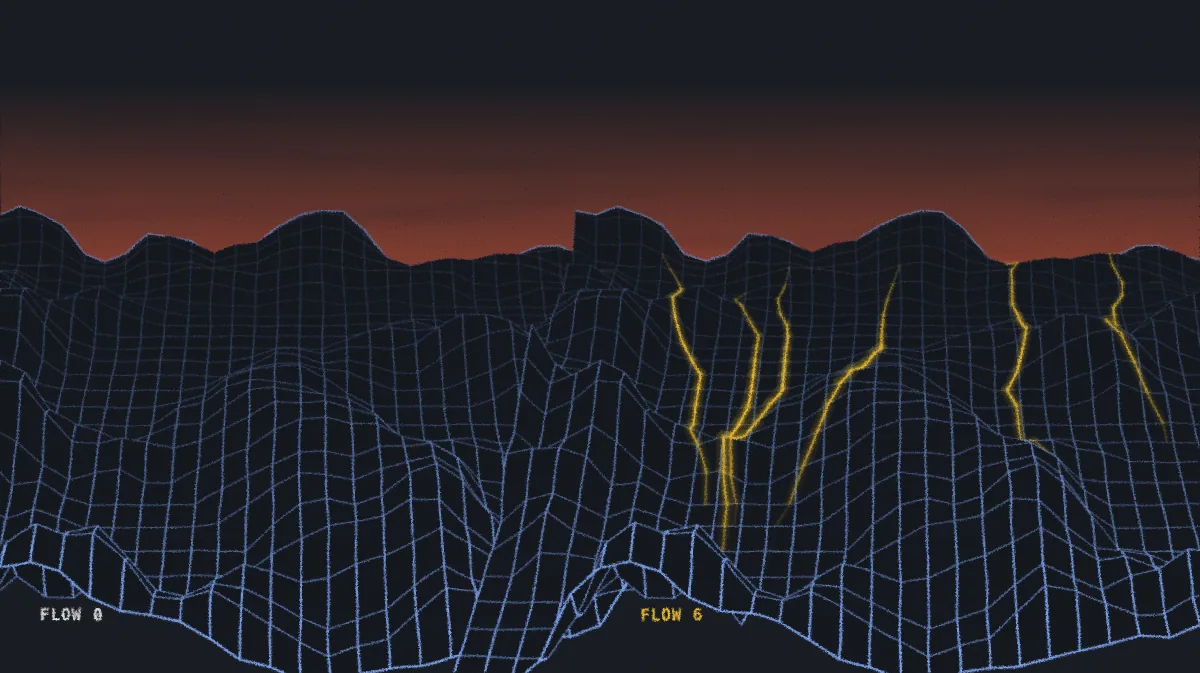 The same hills, seed and glow. Left:
flow 0. Right: flow 6.
{ "seed": 4, "background": "dark", "elements": [
 {"type":"terrain","x":0,"y":0,"w":600,"h":673,"horizon":0.42,"rows":26,"cols":30,"height":0.24,"freq":1.6,"color":"tone","ground":"dark","flow":0,"glow":"coral","glowHeight":0.3,"seed":2},
 {"type":"terrain","x":600,"y":0,"w":600,"h":673,"horizon":0.42,"rows":26,"cols":30,"height":0.24,"freq":1.6,"color":"tone","ground":"dark","flow":6,"flowColor":"mustard","glow":"coral","glowHeight":0.3,"seed":2},
 {"type":"label","text":"flow 0","x":40,"y":620,"color":"paper","size":16},
 {"type":"label","text":"flow 6","x":640,"y":620,"color":"mustard","size":16}
]}
Two terrains in one scene is a handy trick for comparing settings, and it works because each terrain has its own box. Five or six streams are enough to read as water.
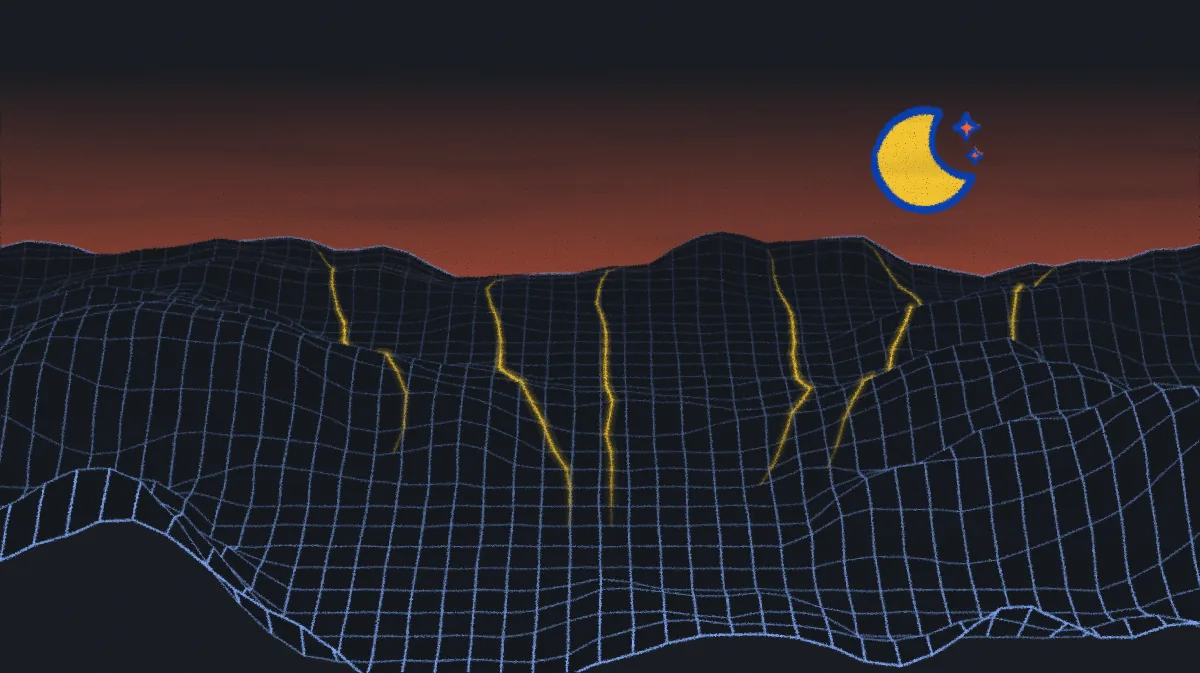
The cover of this post is the same element with flow 6, a seed of 5 and a crescent moon dropped in with a prop. A small prop in a wide empty sky gives the eye somewhere to land. The repository’s examples/engrave-terrain-hero.json uses a small rocket the same way.
Stack ridgelines for a share card
ridgelines is the cousin: stacked profile lines where each line hides the ones behind it, the shape of a famous pulsar album sleeve. It is a good Open Graph background because it is mostly empty at the edges and there is room for a title.
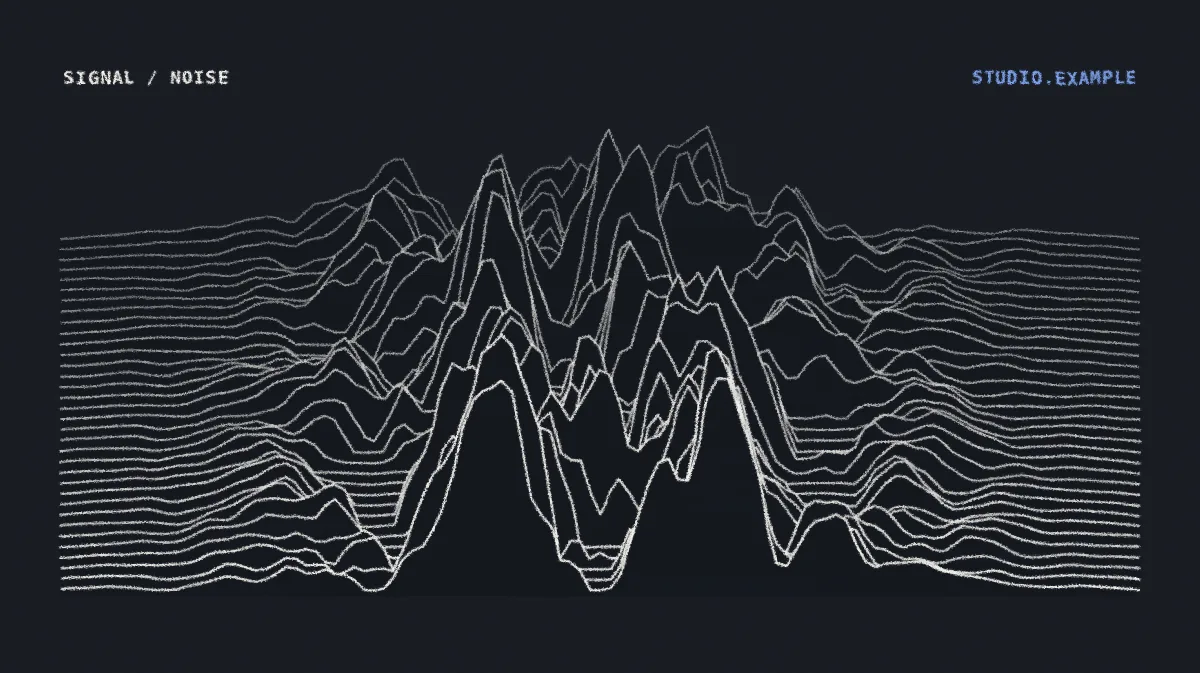 Thirty-four lines, a central peak and two labels. The card is a share image, so the labels stay above the lines.
{ "seed": 7, "background": "dark", "elements": [
 {"type":"ridgelines","x":60,"y":150,"w":1080,"h":440,"lines":34,"color":"paper","ground":"dark","height":0.5,"seed":1},
 {"type":"label","text":"Signal / Noise","x":64,"y":84,"color":"paper","size":18},
 {"type":"label","text":"studio.example","x":1136,"y":84,"anchor":"end","color":"tone","size":18}
]}
lines is how many profile lines to draw (34 by default, up to 120), points is how many samples each line has, and peaks can be center or noise. fade: false turns off the depth fade if you want every line equally bright. The share image size is 1200 by 630, so render it and crop the bottom 43 pixels, as described in creating Open Graph images from a JSON scene. Keep the labels clear of the bottom edge and the crop costs you nothing.
Etch a mountain poster
engrave is a different kind of line art. It draws pen-hatch lines, and the thickness of each line follows a tone field, so dark areas get fat lines and light areas get thin ones. It is how etchings and banknotes build tone. The default landscape mode draws layered mountains and an optional sun. Switch to a paper background and an ink colour:
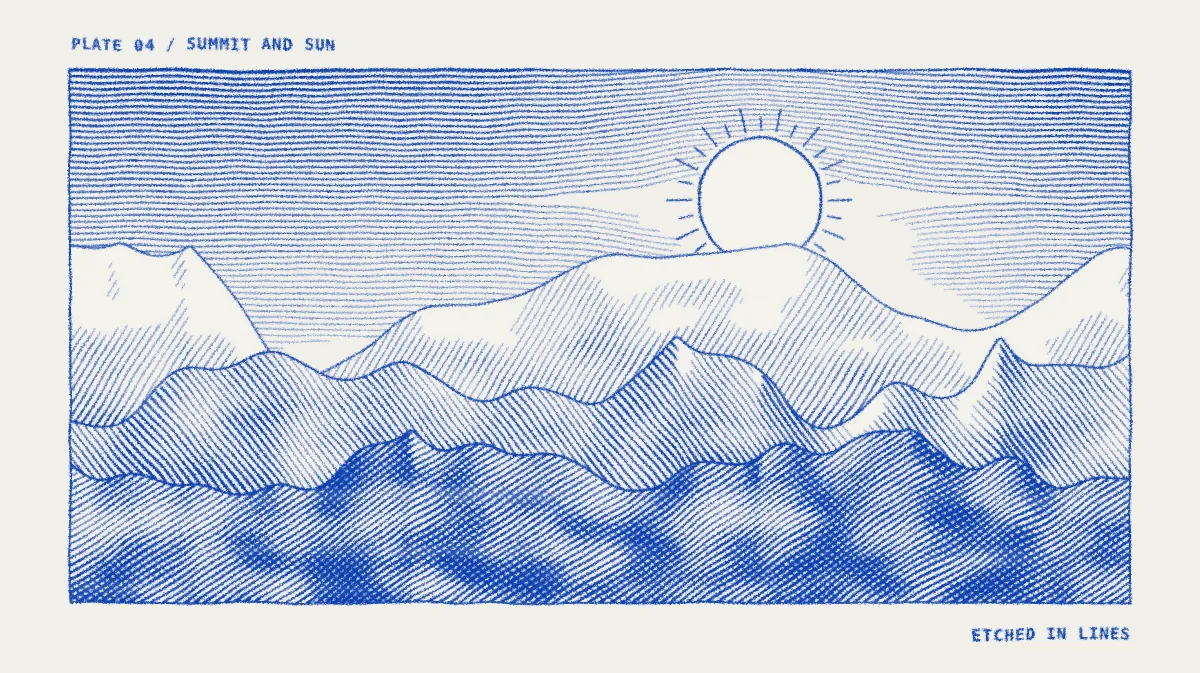 Layers of mountains, a sun with rays and a hairline plate frame. Every shade is made of lines of different weight.
{ "seed": 3, "background": "paper", "elements": [
 {"type":"engrave","mode":"landscape","x":70,"y":70,"w":1060,"h":533,"gap":6,"color":"ink","ground":"paper","sun":{"x":760,"y":200,"r":62},"seed":1},
 {"type":"label","text":"Plate 04 / Summit and sun","x":70,"y":50,"color":"ink"},
 {"type":"label","text":"Etched in lines","x":1130,"y":640,"anchor":"end","color":"ink"}
]}
Three fields do most of the work. gap is the distance between lines, with a minimum of 3. A larger gap is a bolder, coarser print, and a smaller one is finer. layers sets how many mountain ranges, up to 5, and sun sets where the sun sits and how big it is. frame adds the hairline plate border, and it is on by default.
Engrave the moon
The globe mode wraps the same hatching around a sphere. The lines run along the lines of latitude, the lit side gets thin lines and the shadow side gets thick ones, and craters carves dents with a lit rim and a shadowed bowl.
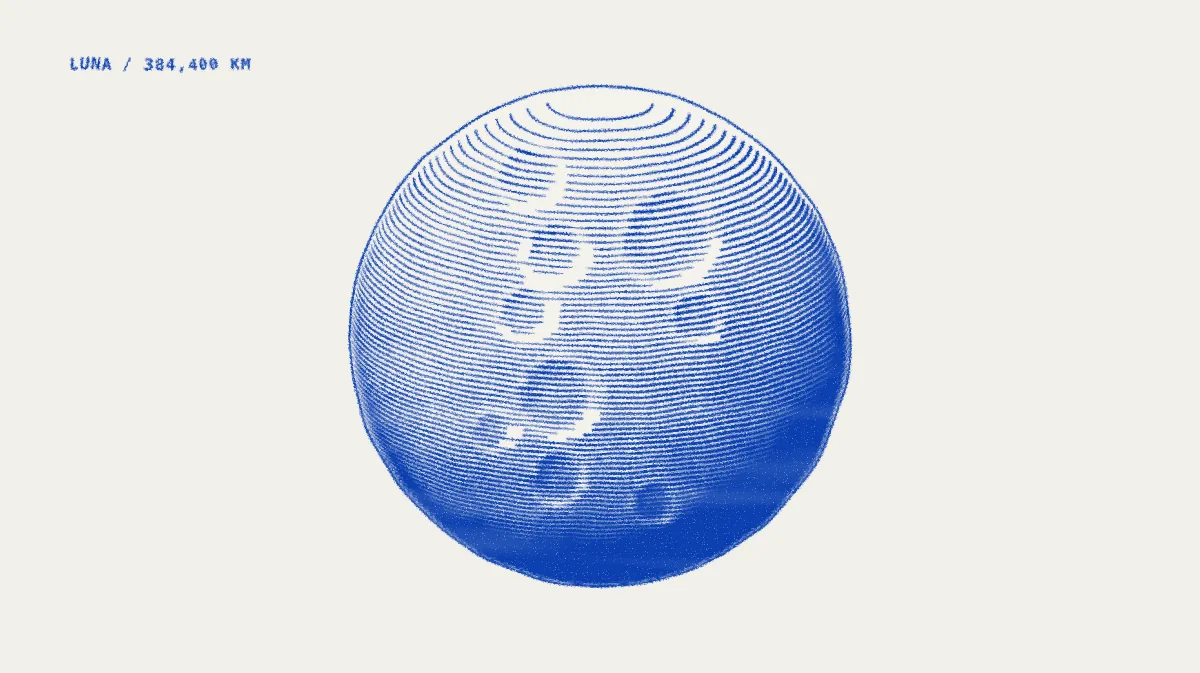 A moon of nine craters.
lightAngle moves the light and tilt tips the sphere.
{ "seed": 2, "background": "paper", "elements": [
 {"type":"engrave","mode":"globe","x":600,"y":336,"r":250,"gap":5.5,"craters":9,"color":"ink","ground":"paper","seed":3},
 {"type":"label","text":"Luna / 384,400 km","x":70,"y":70,"color":"ink"}
]}
In globe mode, x and y are the centre and r is the radius, not a box. There are two more modes, radial and noise, which fill a shape with hatching that follows a tone field. They suit backgrounds and textured panels.
Ask an agent to draw one
With the MCP server added, an agent can try a handful of seeds and keep the best:
claude mcp add levni -- npx -y @levni/levni mcp
Use the Levni tools. Read scene_guide, especially the line-art landscape recipes.
Draw a dark wireframe terrain for the hero of a developer tools page: crimson
glow behind the far ridge, five mustard streams, no text. Render four seeds with
render_scene, pick the one where the streams sit in the middle two-thirds, read
the critic's notes and fix them. Save terrain.json and terrain.png.
Check the result
The critic notes for line art are mostly about focus. A terrain or an engraving fills the canvas, so there is no single symbol for the critic to find, and it may say there is no clear focal point. That is fine for a background. If you need a focal point, add a prop, as the cover does with its moon, or a headline.
Look at the picture for three things. First, hatch lines that merge into a solid area mean gap is too small for the output size. Second, a visible patch around a hill means ground does not match the background. Third, streams that bunch on one side mean you should try another seed.
What to do next
Line art makes good brand backgrounds, and a badge looks better on top of it: see seals, badges and stickers from a JSON scene. To put a landscape into a full identity next to a mark, a palette and a web page, read the brand board guide. The Levni library has the drawings for the small prop that gives a wide landscape its focal point.
Reference and examples. Read the scene elements reference (every element and field); see finished work on the features page and in the gallery.
FAQs
How do I make a wireframe terrain background?
Add a `terrain` element to a scene with a dark background and set its `ground` to the same colour as the background. The engine draws a perspective grid of hills and hides the lines that sit behind nearer hills.
What are the glowing streams on the terrain?
They come from the `flow` field, from 0 to 12. Each stream follows a valley across the grid. Set `flowColor` to change the glow, which defaults to mustard.
How do I make the stacked-line Joy Division look?
Use the `ridgelines` element. It draws stacked profile lines, and each line hides the ones behind it. Put it on a dark ground with paper-coloured lines.
Can I make an etching of a mountain or the moon?
Yes. The `engrave` element draws pen-hatch engravings whose line thickness follows a tone field. Its `landscape` mode draws mountains and a sun, and its `globe` mode draws a hatched moon with craters.
Is the output a vector or a raster?
You can write SVG, PNG or WebP from the same scene. The grain and brush texture are part of Levni's house style.
Ortak Alan is a Turkish publication that draws its article covers with Levni, and makes Levni. The engine is on GitHub.